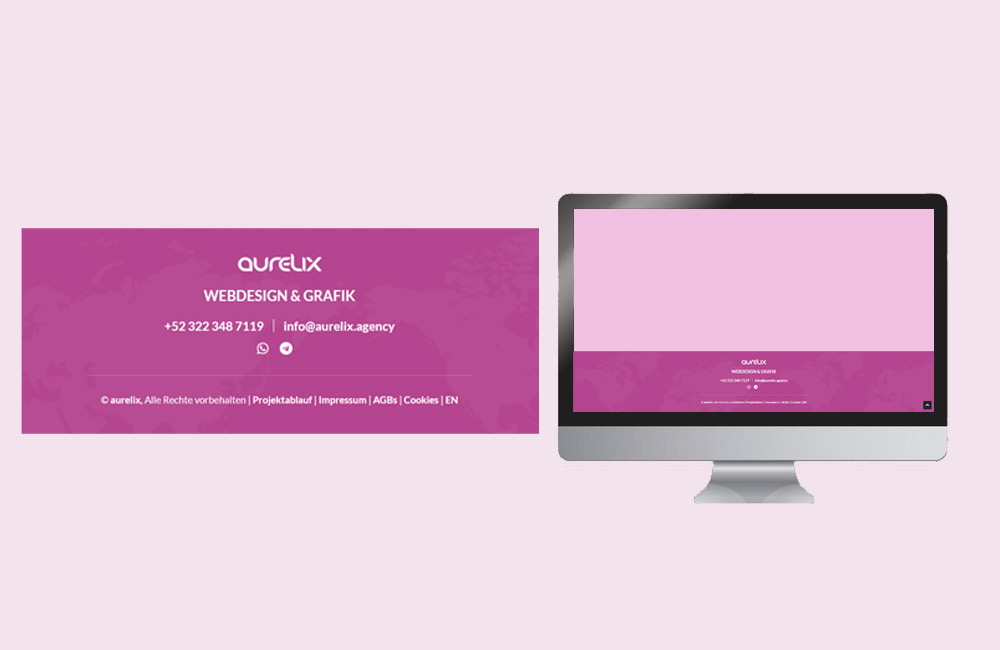
The footer is often the most underrated part of a website—yet it’s the foundation of every page. It wraps up the visit, provides orientation, builds trust, and can even improve SEO. A well-structured footer helps users quickly find important information and conveys credibility and transparency. It can guide visitors to other pages or actions, thereby contributing directly to conversion. Especially for new users, the footer is often the last point of contact before leaving the site—which is why it should be strategically planned.
Why the footer is so important
- Build trust: Legal information, certifications, and contact details show that your business is legitimate and accessible. A visible footer conveys professionalism and security, especially for online stores or service providers.
- Supplement navigation: Footer links direct visitors to frequently searched-for content such as the legal notice, privacy policy, or contact form. This improves navigation and prevents frustration.
- Boost SEO: Internal links in the footer can improve the site structure and internal linking. A well-structured footer helps Google better understand your website’s hierarchy.
- Improve usability: A clearly structured footer provides users with guidance at the bottom of a page. It can also offer quick call-to-action options, such as newsletter sign-up or social media links.
What no footer should be without
- Logo or brand name – ensures recognition and brand loyalty.
- Legal links – Legal notice, privacy policy, terms of service, cookie policy.
- Contact information – Address, email, phone number, or contact form. A clearly visible contact section builds trust and facilitates communication.
- Quick navigation – links to important pages such as “About Us,” “Services,” and “Blog.”
- Social media icons – to build trust, authenticity, and a sense of community.
- Newsletter Sign-up – for direct lead generation. It should be prominently placed but not intrusive.
- Certificates or Seals of Approval – e.g., SSL, Trusted Shops, TÜV, to demonstrate credibility.
Best Practices for Footer Design
1. Structure & Readability
Organize your footer clearly into columns or sections. Visitors should immediately recognize where to find contact information, legal information, or social media links. Consistent typography, sufficient spacing, and clear separators ensure better readability. This makes the footer easy to navigate and encourages users to explore all sections purposefully. Avoid cluttered design—less is often more here.
2. Consistent Branding
Use colors, fonts, and logos that are consistent with the rest of your website design. The footer is part of the brand identity, not an afterthought. A subtle background color creates a sense of separation without disrupting the style. Consistent branding strengthens brand recognition and conveys professionalism.
3. Mobile Display
On smartphones, the footer often becomes particularly long. Prioritize the most important elements and group less important links into dropdowns. Buttons and links should be easy to click on mobile devices to avoid user frustration. Test the layout on different devices to ensure optimal usability.
4. Trust Signals
Seals, reviews, SSL notices, or partner logos increase credibility. Especially for new visitors, the footer is often the last place to verify that your site is secure. Transparent information about certificates or security features boosts trust and the conversion rate.
5. Search Engine-Friendly Structure
Internal links in the footer help Google better understand your site’s structure. However, be careful not to include too many links—quality over quantity. Clear anchor text such as “Contact” or “Services” is more effective than generic words like “here.” A structured footer contributes to better indexing and visibility.
Example Footer Structure
Company
Legal Information
Contact
aurelix
[email protected]
+52 322 348 7119
SEO & Footer
The footer can also boost SEO when used effectively. Google evaluates structure, internal linking, and user-friendliness. A clear footer with relevant links and well-organized information signals quality and completeness. Targeted internal linking can increase the visibility of less-visited pages and improve crawl efficiency.
Mistakes You Should Avoid
- Too many or irrelevant links
- Small, hard-to-read font sizes
- Missing contact information or legal pages
- Confusing or cluttered design
Conclusion
A well-designed footer is more than just a placeholder at the bottom of the page—it builds trust, serves as a point of reference, and boosts SEO. At aurelix, I make sure that footers not only look good but also serve a strategic purpose: clear, structured, and trustworthy—the perfect way to wrap up every page. It supports navigation, conversion, and branding, and leaves a positive impression on visitors.
Further Resources:
Image: freepik.com (adapted)